Anki Card Generator
Build flashcards from notes, PDFs, and text instantly






What Makes This AI Anki Card Maker Different
Ankify is built for high-volume study workflows. Upload a PDF, paste class notes, or use a custom prompt, then generate, edit, and export your deck in one flow.Optimized for: PDF to Anki, AI Anki card maker, Anki flashcard generator, and AI flashcard maker.Input Flexibility
Upload files, paste notes, or prompt the AI directly.
Output Control
Preview, edit, and refine cards before exporting to Anki.
Study Speed
Go from raw material to review-ready deck in minutes.
How to Create Anki Flashcards with Ankify
Upload your study material
Upload a PDF, PowerPoint, Word document, or image — or paste notes directly into the editor.
AI generates your flashcards
Ankify's AI reads your content and creates Anki-formatted flashcards, extracting key concepts automatically.
Preview and edit your deck
Review every card, make edits, delete any you don't need, and approve the deck before exporting.
Download and import into Anki
Download the .apkg file and import it into Anki desktop — ready to study with spaced repetition immediately.
Related Guides

How to Convert PDF to Anki Flashcards Instantly with Ankify
Stop creating Anki flashcards manually. Upload your PDF to Ankify and get a ready-to-import Anki deck in seconds.

Turn Your Study Notes into Anki Flashcards with AI
Stop typing flashcards manually. Learn how to turn your personal notes into Anki decks using AI with Ankify.
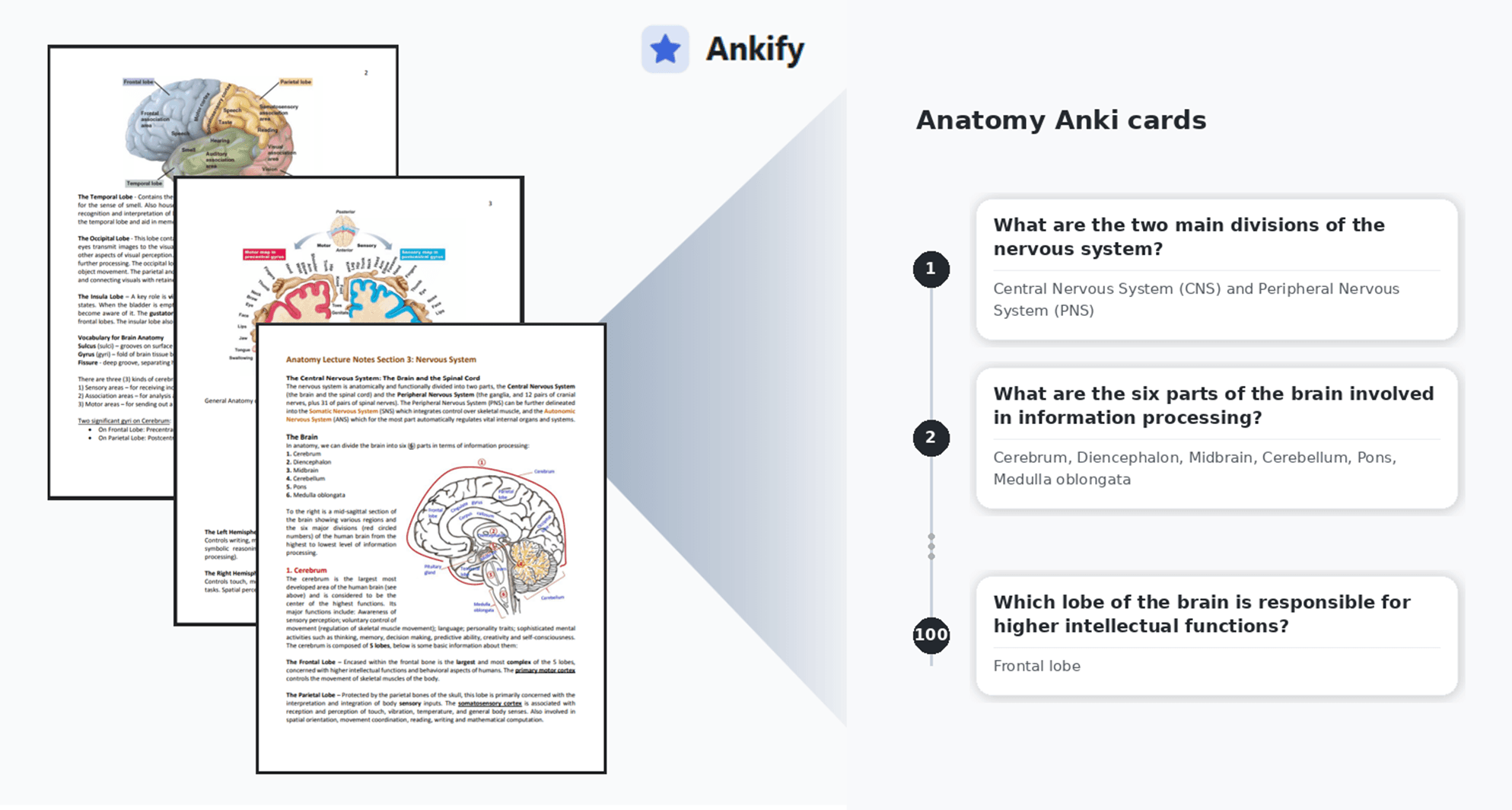
Best Anki AI Card Maker for Medical Students: Turn Lecture PDFs into Decks with Ankify
Already using Anki? Ankify turns medical lecture PDFs (and other files) into editable Anki decks fast. Upload your notes, generate AI cards, customize output, and export an Anki-ready .apkg.